Categories
Latest blog
Is a smart door lock worth it? For many homeowners, renters, and short-term rental hosts, the answer is yes—but only when it solves a real access problem.
A smart lock can make daily life easier by removing the need to carry keys, creating temporary access codes, locking the door automatically, or letting you check the lock status from your phone. However, it also introduces new responsibilities, including battery maintenance, account security, door compatibility, and backup access planning.
The best choice is not simply “smart lock versus traditional lock.” It is choosing the lock system that matches your door, lifestyle, budget, and security expectations.
A smart door lock is usually worth it if you regularly deal with lost keys, children arriving home after school, cleaners or contractors needing access, frequent guests, Airbnb turnovers, or the habit of wondering whether you locked the door.
It may be less worthwhile if you only need a simple lock, prefer not to manage apps or batteries, have a door that is difficult to retrofit, or do not need temporary or remote access features.
Most importantly, a smart lock is not a replacement for a strong door, secure frame, correctly installed strike plate, and high-quality deadbolt. Smart features improve convenience and access control; physical door security still matters.
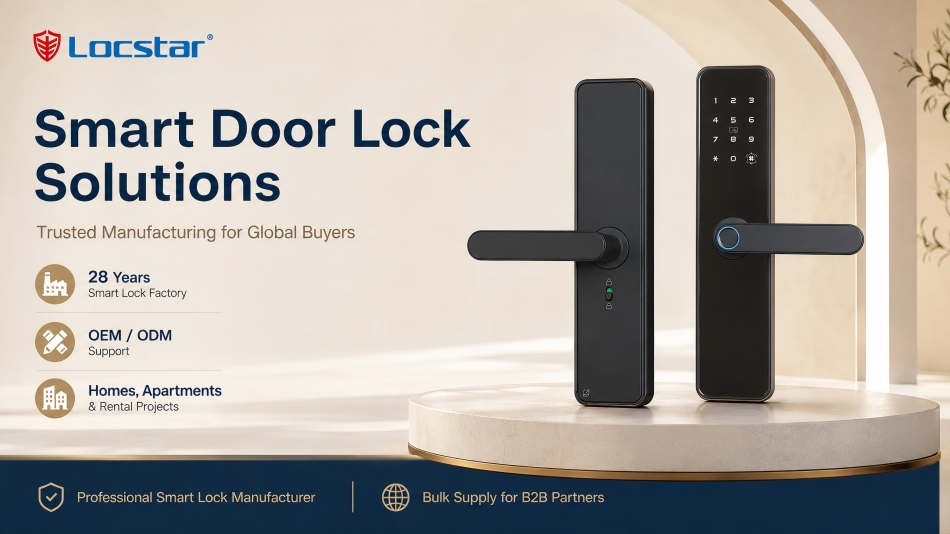
Traditional locks are simple, familiar, and usually less expensive. Smart locks add electronic access methods and, on selected models, app-based control and smart-home integration.
| Comparison Area | Smart Door Lock | Traditional Lock |
| Entry methods | PIN, fingerprint, RFID card, app, key, or other approved methods | Physical key |
| Temporary access | Codes or credentials can be added and removed | Requires giving someone a physical key |
| Auto-locking | Available on selected models | Usually manual |
| Remote status | Can be checked through compatible apps or systems | Not available |
| Battery requirement | Usually battery-powered or electrically powered | No battery required |
| Installation | May require setup, adjustment, and compatibility checks | Usually simpler |
| Upfront cost | Often higher | Usually lower |
| Best for | Flexible access, keyless entry, and automation | Simple, low-maintenance use |
The right choice depends on whether the added control is valuable to you. If you only unlock one front door with a key and rarely share access, a traditional lock may still be enough. If several people need controlled access, a smart lock can be a practical upgrade.
One of the biggest reasons people choose a smart door lock is simple: they no longer need to carry a key everywhere. A keypad, fingerprint reader, RFID card, or mobile credential can make it easier to enter the home after walking the dog, exercising, carrying groceries, or arriving with children.
Keyless entry can also reduce the stress of misplaced keys. Instead of waiting for a spare key or calling a locksmith, users may be able to enter with a PIN, card, fingerprint, or approved backup method.
Smart locks are especially useful when access needs to change frequently. You may need to let in a cleaner, contractor, dog walker, family member, house sitter, or delivery person.
With a compatible smart lock, you can create a temporary code or credential and remove it when it is no longer needed. This is more controlled than handing out physical keys that may be copied, lost, or never returned.
For many users, the real value is not remote unlocking—it is knowing the door locks automatically. Auto-locking can reduce the chance of leaving the house unlocked after a busy morning or late-night arrival.
Some users also value the ability to check whether the door is locked before bed or after leaving home. This feature may sound small, but it can solve a very common source of daily worry.
Selected smart locks can provide activity records, notifications, or smart-home connections. For example, a compatible system may notify you when a specific code is used or allow a lock to work alongside lighting, cameras, alarms, or voice assistants.
These functions are most useful when they support a clear routine. Buying a lock with every available feature is not always necessary.
Smart lock pros and cons should be evaluated honestly before purchase.
First, most smart locks need battery power. Batteries eventually need replacement, so you should understand low-battery warnings, emergency power options, and backup entry methods before installation.
Second, remote features can depend on Bluetooth, Wi-Fi, a gateway, or a connected smart-home ecosystem. If your internet is unavailable, remote functions may not work as expected. Many locks can still perform basic local unlocking, but this varies by model.
Third, smart locks require good digital habits. Use strong passwords, protect your account, update firmware when provided, and avoid sharing permanent access codes unnecessarily.
Finally, smart locks can cost more than traditional locks. The total cost may include the lock, installation, optional accessories, batteries, and possible door modifications. The upgrade is most valuable when it prevents repeated locksmith visits, re-keying, lost-key problems, or access-management frustration.
The most useful feature depends on how you use your door.
| If You Need… | Consider Looking For… |
| No keys during daily use | Keypad, fingerprint, RFID card, or app access |
| Access for guests or cleaners | Temporary and scheduled access codes |
| Extra reassurance at night | Auto-lock and lock-status alerts |
| Remote access away from home | Wi-Fi, gateway, or compatible smart-home connection |
| A backup plan | Mechanical key, emergency power port, or alternative credential |
| Family-friendly access | Multiple user codes and simple unlocking methods |
| Smart-home automation | Compatibility with your existing ecosystem |
Do not choose a lock only because it has a camera, fingerprint reader, or voice control. Start with your most frequent access problem, then choose features that solve it.
Before purchasing, confirm that the lock fits your door. Check the door material, thickness, handing, existing lock body, backset, and whether the door uses a deadbolt, mortise lock, or multipoint lock.
You should also ask:
A smart lock should fit your door and daily routine—not force you to change both.
They can provide better access control through temporary credentials, auto-locking, access records, and the ability to remove codes quickly. However, a smart lock does not automatically make a weak door or poor-quality deadbolt more secure.
Most quality smart locks provide low-battery warnings before power runs out. Many models also include a mechanical key, emergency power connection, or another backup entry method. Always understand the backup plan before installation.
Not always. Some smart locks work locally through Bluetooth, RFID cards, PIN codes, or fingerprints. Wi-Fi or a compatible gateway is usually needed for remote access and some notifications.
They can be, especially if the lock is easy to remove and reinstall later. Renters should first obtain landlord approval and avoid permanent modifications without permission.
No. Compatibility depends on door thickness, material, lock type, handing, existing hardware, and local security requirements. Always check the product specifications before ordering.
A smart door lock is worth it when it gives you meaningful control over access, not just another app on your phone. If keyless entry, temporary codes, auto-locking, and better access management would make your life easier, the upgrade can be a smart investment.
Explore smart door lock options based on your door type, preferred access method, and required level of connectivity before making a decision.
 en
en es
es ar
ar lt
lt 中文
中文