Categories
Latest blog
Smart door locks are becoming a common choice for homes, apartments, rental properties, and small businesses. They can be opened with a fingerprint, PIN code, card, mobile app, or traditional backup key, depending on the model.
But one question comes up before almost every purchase: Are smart door locks safe?
The honest answer is yes—smart door locks can be safe when they are made with reliable hardware, set up correctly, and used with sensible security habits. However, no lock is automatically secure just because it is “smart.” A secure setup depends on the lock itself, the door it is fitted to, the way users manage access, and the backup plan for batteries or connectivity problems.
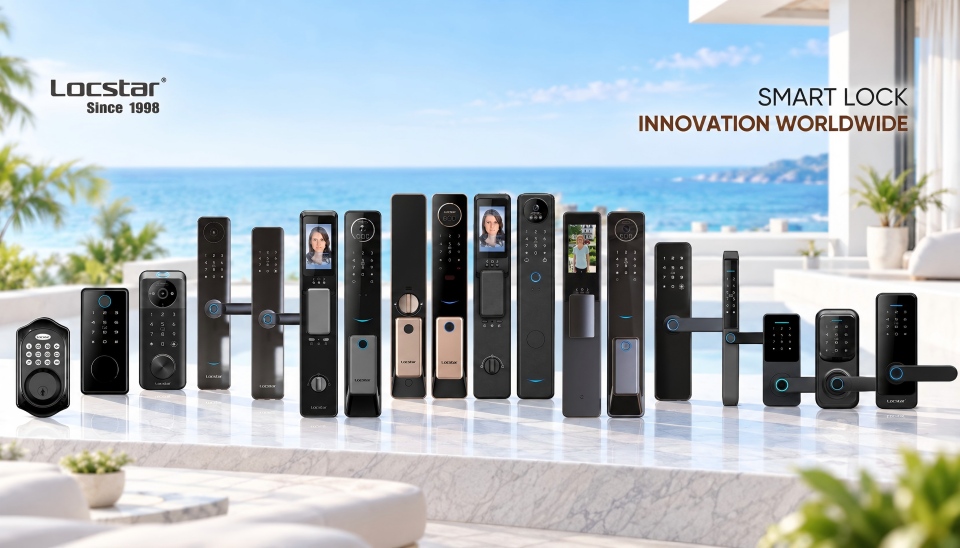
It helps to think about smart lock security as a system rather than one product feature.
| Security Layer | What a Smart Lock Can Improve | What You Still Need to Check |
| Physical security | Keyless access and automatic locking | Lock body, door frame, latch, deadbolt, and installation quality |
| Digital security | App access, encrypted communication, updates | Account passwords, phone security, Wi-Fi network, and firmware support |
| Access management | Temporary codes, user permissions, access records | Who has admin access and when old users are removed |
| Reliability | Low-battery alerts and remote management | Mechanical key, emergency power, and offline access options |
A smart lock can make it easier to control access, but it cannot turn a weak door or damaged frame into a secure entrance. The physical hardware still matters.
Traditional keys are easy to understand, but they can also create problems. Keys may be lost, copied, shared, or forgotten. Once a key leaves your control, it can be difficult to know who still has it.
Smart locks offer a different approach. Instead of giving everyone the same physical key, you can create separate PIN codes, cards, fingerprints, or app permissions. If a guest, tenant, cleaner, or employee no longer needs access, you can remove that permission instead of collecting keys or replacing the whole lock.
Many smart locks also support auto-locking. This can reduce the risk of leaving the door unlocked by accident. Access logs and notifications can add another layer of visibility, especially for rental properties, offices, or homes with several users.
These features do not make every smart lock safer than every traditional lock. They simply give users more ways to manage access responsibly.
Smart locks have risks, just like conventional locks. The key is to understand which risks matter in daily use and how to reduce them.
| Risk | Common Cause | Practical Way to Reduce It |
| Weak PIN codes | Using birthdays, “1234,” or a shared permanent code | Create a strong code and remove guest codes when they are no longer needed |
| Account compromise | Weak app passwords, lost phones, or outdated software | Use a unique password, lock your phone, and update the app regularly |
| Battery failure | Ignoring low-battery warnings | Check the battery level and confirm the backup entry method |
| Wi-Fi or gateway problems | Network outage or incorrect setup | Make sure local access still works when the internet is unavailable |
| Physical tampering | Weak lock body, weak door, or poor installation | Match the lock to the door type and install it correctly |
| Unmanaged access | Former users still have access | Review users and permissions regularly |
One common concern is hacking. Any connected device may have a digital attack surface, especially if it uses Wi-Fi, Bluetooth, or a cloud-based app. That does not mean every connected lock is easy to hack. The real risk is usually higher when users choose weak passwords, skip updates, share administrator accounts, or use an unsecured home network.
For this reason, security should never depend on one feature alone. A strong setup combines reliable hardware, protected digital access, and good user habits.
Traditional locks have a simple advantage: they do not need batteries, apps, or internet access. However, they rely heavily on physical keys, which can be copied or lost without the owner knowing.
Smart locks add new benefits, including temporary access, automatic locking, access logs, and remote permission management. At the same time, they require users to think about battery maintenance, account protection, and network security.
The best choice depends on your needs. A simple offline keypad lock may be enough for a secondary entrance. A family home may benefit from fingerprint, PIN, and key access. A rental property may need temporary codes and remote access management.
If remote access is important, understand whether the lock uses built-in Wi-Fi or a separate hub. A gateway-based remote access setup may allow app control from outside the property, while local PIN, card, or fingerprint access can continue to work at the door.
Before buying a smart lock, start with the door—not the app.
Check the door thickness, material, lock body type, handle position, and opening direction. Smart deadbolts, mortise locks, handle locks, and retrofit locks are designed for different door structures. A lock that does not fit properly may affect both reliability and security.
Next, look for multiple access methods. A practical combination may include fingerprint, PIN code, card, mobile app, and a mechanical key or emergency power option. More access methods do not automatically mean better security, but they can provide useful backup options.
You should also ask these questions:
Does the lock provide low-battery alerts?
Can guest access be removed easily?
Is firmware support available?
Does the lock work locally if Wi-Fi is unavailable?
What happens if the battery is empty?
How is biometric or app data managed?
Explore smart door lock options only after confirming the door type and the features that matter for your use case.
Installing the lock is only the first step. A few basic habits can make a meaningful difference:
Change any default administrator code immediately.
Use a strong PIN that is not based on a birthday or simple number pattern.
Create separate access for family members, guests, or staff instead of sharing one code.
Remove temporary users when they no longer need entry.
Keep the lock app, phone system, and router updated.
Test the backup key or emergency power method before an emergency happens.
Check battery warnings promptly.
Confirm that auto-lock timing suits your daily routine.
Like other connected devices, smart locks can have digital risks. Keeping software updated, using strong account passwords, and securing your Wi-Fi network can reduce those risks.
Many functions can work without Wi-Fi. PIN codes, fingerprints, cards, and Bluetooth access may work locally, depending on the model. Wi-Fi is usually needed for remote control and cloud-based notifications.
A good smart lock should warn you before the battery runs out. Check whether the model has a mechanical key override, emergency power port, or another backup method.
Fingerprint access can be convenient because there is no key or code to carry. However, it should be combined with another entry method in case the sensor cannot read a fingerprint.
They can offer better access control and fewer problems with copied keys. However, their overall safety still depends on physical installation, digital settings, and ongoing maintenance.
Smart door locks can be a secure and practical upgrade when they are chosen for the right door and managed carefully. The strongest setup combines solid hardware, protected access methods, sensible user permissions, and a reliable backup plan.
Need help matching a smart lock to your home, rental property, or access project? Request a door-lock security recommendation from Locstar with your door type, preferred access methods, connectivity needs, and target market.
 en
en es
es ar
ar lt
lt 中文
中文